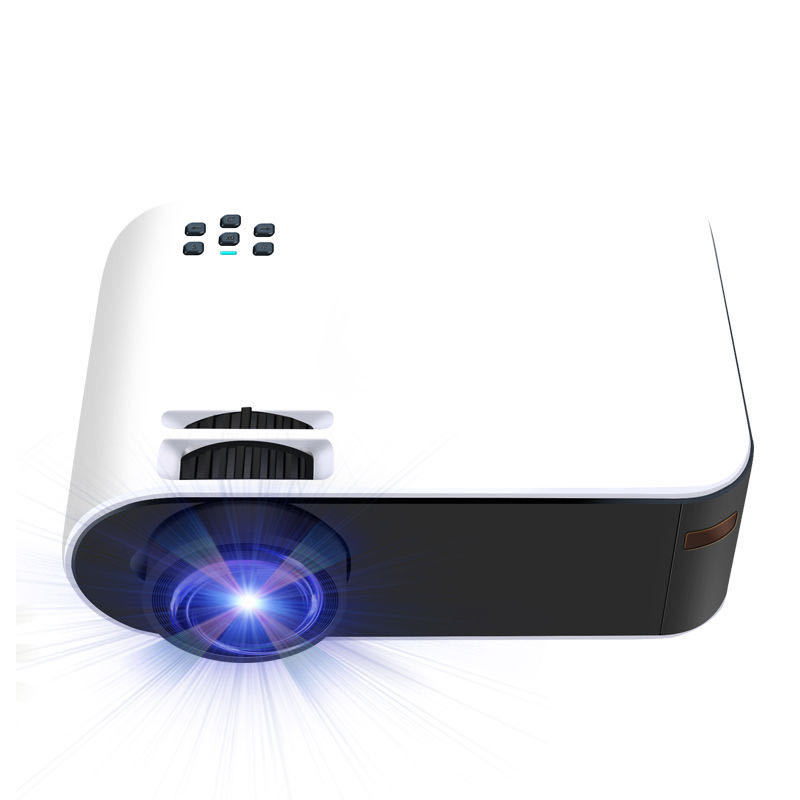
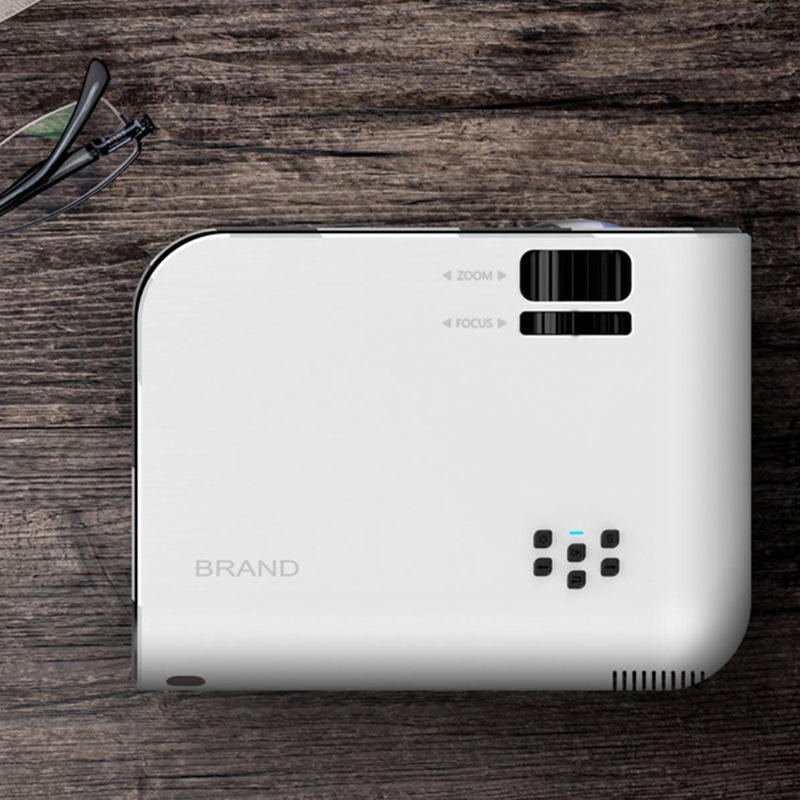
🎥 Lumixia Portable Full HD 1080p Smart Projector


🎥 Lumixia Portable Full HD 1080p Smart Projector
🎥 Lumixia Portable Full HD 1080p Smart Projector
Turn Any Space into Your Personal Cinema!
Experience stunning Full HD 1080p entertainment wherever you go with the Lumixia Portable Smart Projector. Whether you're streaming your favorite shows, gaming on the big screen, or hosting an outdoor movie night, Lumixia delivers sharp visuals, vibrant colors, and effortless wireless connectivity.
✨ Why You'll Love It:
- 🎬 True Full HD 1080p Resolution for crisp, vibrant picture quality.
- 📶 Wireless WiFi Screen Mirroring—instantly cast from compatible iOS and Android devices without the hassle of cables.
- 💻 Wide Device Compatibility with laptops, gaming consoles, streaming devices, and more.
- 🎮 Perfect for Gaming with an immersive big-screen experience.
- 👜 Lightweight & Portable—ideal for home, travel, camping, and outdoor movie nights.
- 🔊 Built-In Speaker for convenient, all-in-one entertainment.
- ⚡ Quick & Easy Setup so you can start watching in minutes.
🌟 Perfect For:
- Home theaters
- Outdoor movie nights
- Gaming sessions
- Business presentations
- Family gatherings
- Dorm rooms and apartments
Upgrade your entertainment with the Lumixia Portable Full HD Smart Projector and enjoy a cinematic experience anytime, anywhere.
🔥 Limited Stock Available—Order Yours Today Before They're Gone!
## ✨ Transform Your Space into a Private Cinema! 🎬
Experience the magic of the big screen from the comfort of your home. This sleek, ultra-portable projector brings your favorite movies, games, and memories to life with stunning clarity and vibrant color. Whether it's a cozy movie night or a high-octane gaming session, your wall is your new canvas. 🌟
---
## 🛠️ Technical Specifications
| Feature | Performance Details |
| :--- | :--- |
| **Native Resolution** | 854 x 480 Pixels (Crisp SD) |
| **Max Resolution** | 1920 x 1080 Full HD Support |
| **Contrast Ratio** | 1000:1 (Deep Blacks & Bright Whites) |
| **Display Tech** | 4.0" LCD Imaging System |
| **Lamp Life** | 30,000+ Hours (10+ Years of usage!) |
| **Keystone** | Vertical +/- 15° (Manual Adjustment) |
| **Connectivity** | HDMI, USB, VGA, AV, SD Card, 3.5mm Aux |
---
## 📏 Perfect Fit: Size & Distance Guide
Find the "Sweet Spot" for your setup to ensure the most immersive viewing experience.
| Projection Distance | Screen Size (Diagonal) | Best For: |
| :--- | :--- | :--- |
| **0.8 Meters** | 24 Inches | 🖥️ Desktop Mirroring |
| **2.5 Meters** | 80 Inches | 🍿 **The Golden Zone (Best Quality)** |
| **3.8 Meters** | 85+ Inches | 🌌 Ultimate Immersive Cinema |
---
## 💡 Expert Pro-Tips for Peak Performance
> [!tip]
> **For the White & Black Model:** To keep your unit looking pristine, use a microfiber cloth for the white chassis. Ensure at least 10cm of space around the vents to prevent the black heat-sync area from overheating.
> [!important]
> **For 80" Installations (Best Size):** Place the projector exactly **2.5 meters** from the wall. This balances pixel density and brightness perfectly, giving you that "theater look" without losing detail.
> [!note]
> **Focus & Keystone:** Always adjust the **Vertical Keystone (+/- 15°)** first to square the image, then use the manual lens ring to sharpen the focus.
> [!warning]
> **Audio Tip:** For the best cinematic sound, use the **3.5mm output** to connect external speakers or a soundbar, especially when using the maximum 85" screen size.
---
### 🚀 Quick Start Guide
1. **Power Up:** Connect the power cable and press the top power button.
2. **Source Select:** Plug in your HDMI (Console/Laptop) or USB and select the source via the on-device buttons.
3. **Align:** Adjust the distance (0.8m – 3.8m) based on your room size.
4. **Enjoy:** Dim the lights, grab the popcorn, and enjoy the show! 🍬🥤